Service verification
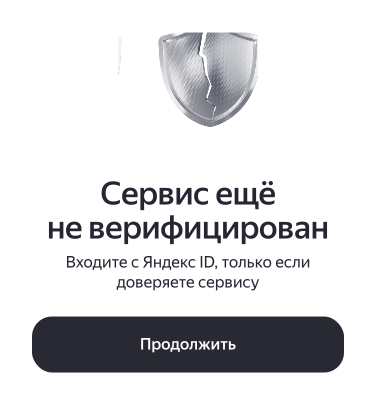
If you plan to integrate with Yandex OAuth, confirm your identity via Gosuslugi to verify your service. This shows users that the Yandex ID account is operated by its rightful owner. If your account isn't verified, users will see a warning before granting your service access to their data (see Step 1 of the authorization flow):
Benefits of verification
A verified account increases your service's credibility, reducing user hesitation during authorization. Verifying your Yandex ID account also gives you the following benefits:
- Get technical support for Yandex OAuth.
- Register more than 5 apps.
- Access additional user information.
Note
If your service isn't verified, you can still contact technical support, for example, to confirm your identity if you're not a Russian citizen. In other cases, your support requests may be declined.
How to verify your account
To verify your account details via Gosuslugi:
-
Log in to Yandex OAuth with the Yandex account you will use to develop your service.
-
On the Yandex OAuth home page, click Remove the restrictions. Verify your account via Gosuslugi.
-
In the pop-up window, click Continue with Gosuslugi and follow the instructions on the Gosuslugi site.
After completing all the steps, you'll see a message confirming that your account has been successfully verified.
I'm not a Russian citizen. How do I verify my details?
Contact technical support and state in your request that you're not a Russian citizen.