View pages
Yandex Browser for TV only has one tab.
Home page
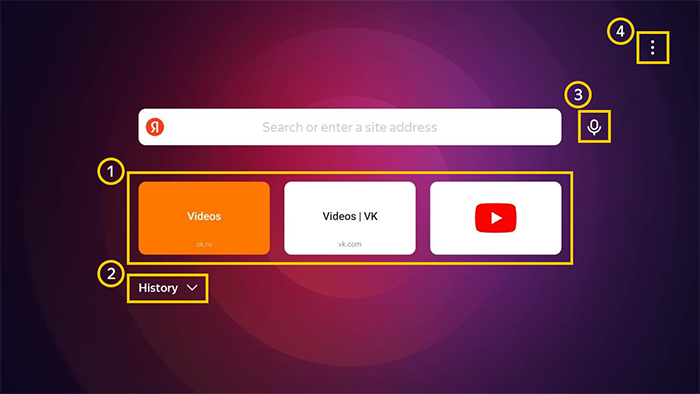
— Tableau
— Settings
The page opens by default. Here you can enter a search query or select a site on Tableau.
To return to the home page:
-
Press the Back button on your remote.
-
Select Home page in the context menu.
Open a website
Home page
Select a site on Tableau or enter a search query.
Site page
-
Press the Back button on your remote.
-
Select Change site address in the context menu.
Refresh a page
-
Press the Back button on your remote.
-
Select Update in the context menu.
If the page freezes:
-
Press the Back button on your remote.
-
Select Refresh page in the context menu.
Go back to the previous page
-
Press the Back button on your remote.
-
Select Back in the context menu.