Integration with third-party verifiers
Yandex provides advertisers with the option to independently audit their ad campaigns by involving third-party verifiers. Integration is available for all Yandex Direct display campaigns except audio campaigns.
The campaign budget must be at least 1 million rubles without VAT. The duration of ad placement is up to 30 days. To set up the integration and ask any questions about how to connect or what restrictions apply, please contact your manager at Yandex.
Verifier setup levels depend on the type of integration:
- Weborama — at the ad level.
- Adserving — at the campaign level.
The Third-party verifiers section doesn't appear in some campaign types. If you don't see it in your settings, this means the integration isn't available for the selected format or must be enabled for your account. If you have questions, contact your Yandex manager or support.
Weborama
Integration is only available for Weborama customers.
Look up the tracking parameters in your Weborama account Specify the tracking parameters in the format {"aap":1234,"tte":5678,"account":9}, where
aap: The ID of your creative.tte: The ID of the placement.account: The ID of the account.
The parameters can be listed in any order.
Enabling the verifier
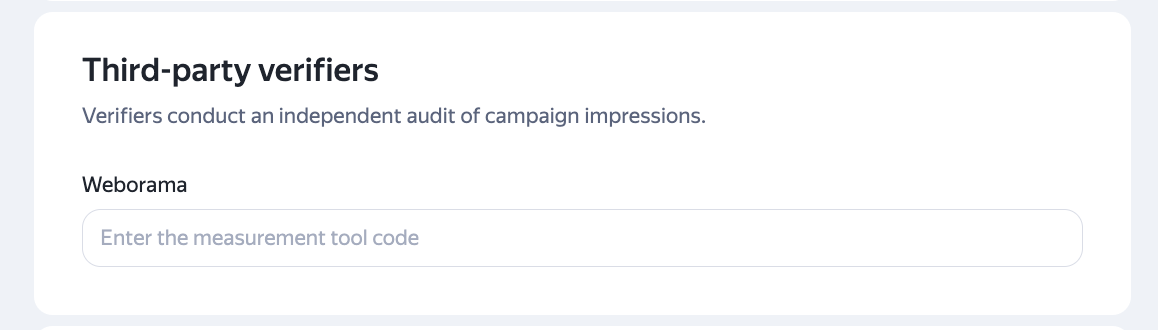
When editing an ad, enter the tag code from your Weborama account into the Third-party verifiers section at the ad level.
Note
When copying a campaign to a new campaign, all its settings are copied, including integration with the verifier. To disable statistics collection in the Weborama account after the campaign is stopped and integration is disabled, do not copy the campaigns where integration is enabled.
Adserving
Integration is only available for Adserving customers.
Look up the Campaign ID in your Adserving account.
Enabling the verifier
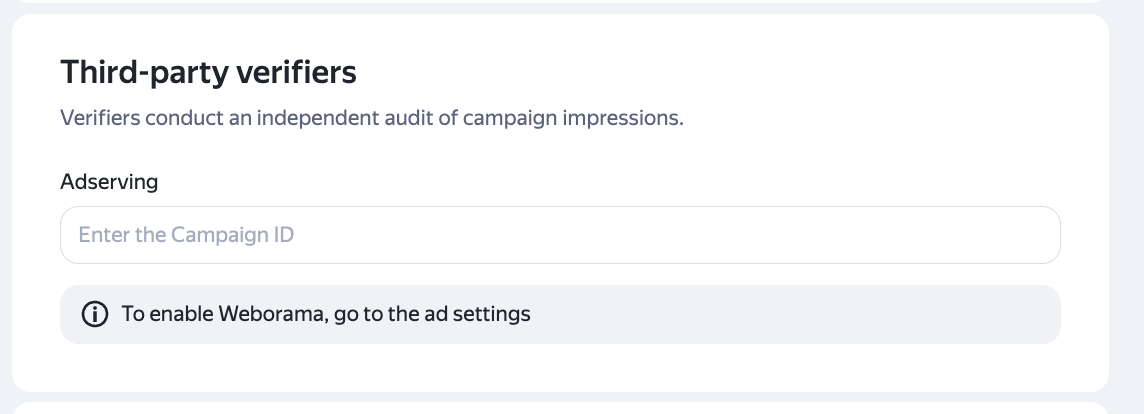
When editing a campaign, enter the Campaign ID from your Adserving account into the Adserving field under the Third-party verifiers section at the campaign level.
Have questions?
Alert
Our customer support can only assist you with campaigns linked to the username you are contacting us from. You can check your username by opening ya.ru in another browser tab. Our team can access your data only when processing your request.
Scan the QR code or tap it to follow the link.


If you select Telegram or WhatsApp, keep in mind that Yandex does not control and is not liable for how third-party messengers store your data and chat history.