How to work with the interface
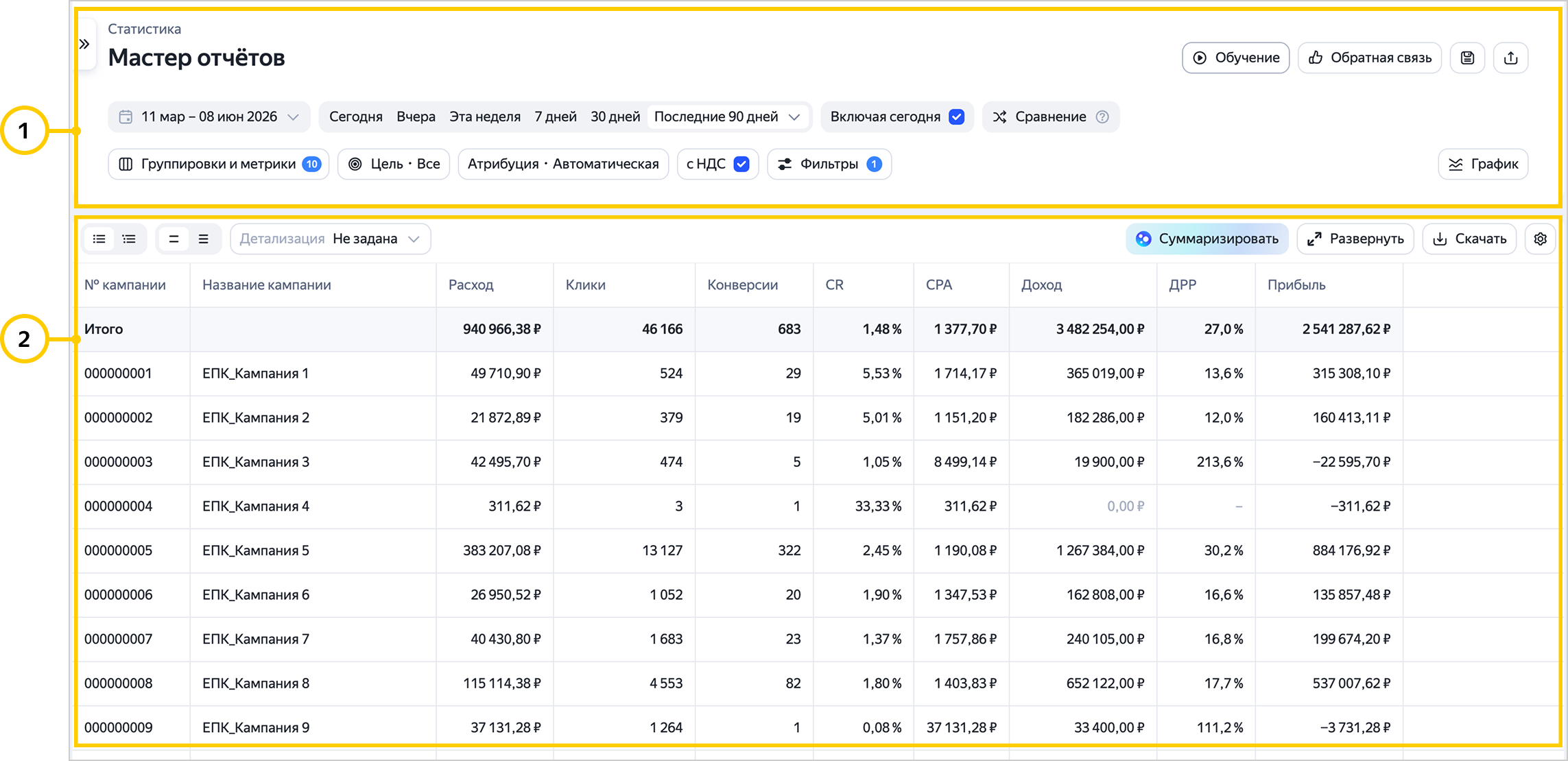
The new Report Wizard interface has two main sections:
-
Settings.
Here you'll find the basic settings that affect report data and display, plus additional options to save and share the report or open the menu.
-
Report.
Report navigation
The new Report Wizard features a navigation panel that lets you switch between saved reports and library reports. You no longer have to open these sections separately to find the report you need.
Navigation keeps your filters when you switch between reports. For example, you can analyze statistics for a Yandex Search campaign and use the navigation panel to switch to the search queries report from the report library. This will open the report specifically for the campaign you were initially working with.
You can hide or show the navigation panel by clicking the  button.
Watch video
Have questions?
Alert
Our customer support can only assist you with campaigns linked to the username you are contacting us from. You can check your username by opening ya.ru in another browser tab. Our team can access your data only when processing your request.
Scan the QR code or tap it to follow the link.


If you select Telegram or WhatsApp, keep in mind that Yandex does not control and is not liable for how third-party messengers store your data and chat history.