Yandex Forms release notes: August 2023
- Integration with Cloud Functions
- New type of displaying a
One answer
prompt - Opening files attached to a form
- Configuring permissions to fill out a form
- Saving attached files to Object Storage
Integration with Cloud Functions
Business forms can now be integrated with Cloud Functions. To enable integration, you need to specify the keys to invoke cloud functions. You can do this in the form settings: go to Settings → Advanced and fill in the fields under Cloud function key. Integration will fail without any keys. To proceed to integration setup, open the form settings, go to the Integration tab, and click Cloud Functions below the selected group of actions.
New type of displaying a One answer prompt
In the new interface, you can now select how to display a One answer
prompt. Two types of display are available:
Tile
(default)Single row
: Response options are placed in a single row. One row can hold up to 4 options.
Opening files attached to a form
Now, when you click a file attached to a form, it opens in a new tab. The option is only available in the new interface.
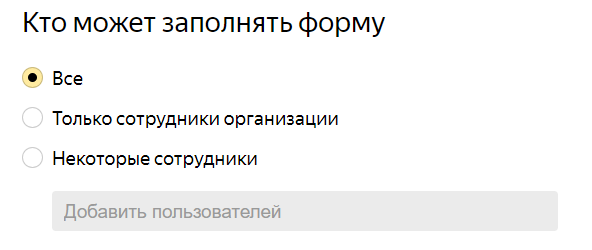
Configuring permissions to fill out a form
Business formpermission settings now enable you to choose who is allowed to fill out the form.
Saving attached files to Object Storage
Business forms now enable you to save attached files from user responses to Object Storage buckets. To enable this setting, open the page for editing forms, go to Settings → Advanced, and fill in the fields under Save attached files from responses to specified S3.
If the bucket is available, files from new user responses will be saved to it. Files received before you specified the bucket, will continue to be stored in Forms for a limited time.
For more information, see Connect the form to Object Storage.