Projects and portfolios in the Tracker mobile app
In Tracker, a project is a set of issues aimed at achieving a common result. Projects are not linked to issue queues, which makes it convenient to group issues from multiple teams working toward a common goal. You can combine multiple projects into a project portfolio.
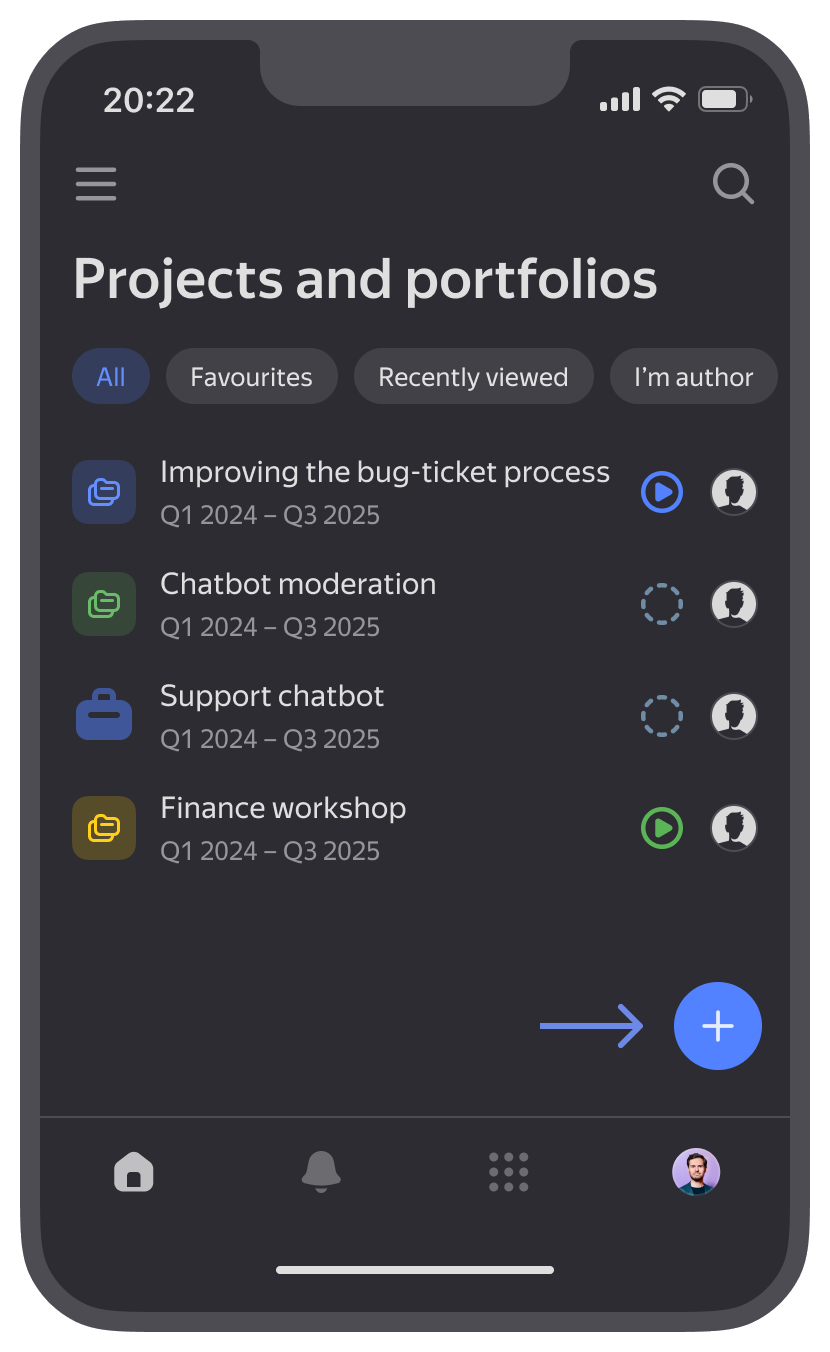
Opening the list of projects and portfolios
-
Go to the home page .
-
In the upper-left corner, tap and select Projects and portfolios.
-
To find the object you need in the list, use the filters at the top of the list, such as Favorites, Recently viewed, and I'm responsible. To search for a project or portfolio by name, tap in the upper-right corner and enter text in the search box.
Creating a project or portfolio
-
At the bottom, under Projects and portfolios, tap .
-
Select an object: Project or Portfolio.
The new object's page opens. To configure it, follow the instructions on the Editing a project or portfolio page.
Adding to favorites or sharing
- To add a project or portfolio to favorites, tap at the top.
- To copy a link to a project or portfolio, tap Share at the top.
Next steps
- Viewing project or portfolio information: how to view nested issues, files, and metrics.
- Editing a project or portfolio: how to configure parameters and add issues and metrics.