How to embed dashboard information on another page
You can embed any widget on other pages in Tracker and Wiki using an iframe. For example, add a team performance chart to a project, or place up-to-date issue statistics on your team's wiki page.
Your colleagues must have access to the dashboard you're copying the widget from; otherwise, they won't see the information.
Step 1. Copy the widget link
-
Open the dashboard. How to find a dashboard
-
At the top of the widget, click → Copy link for iframe.
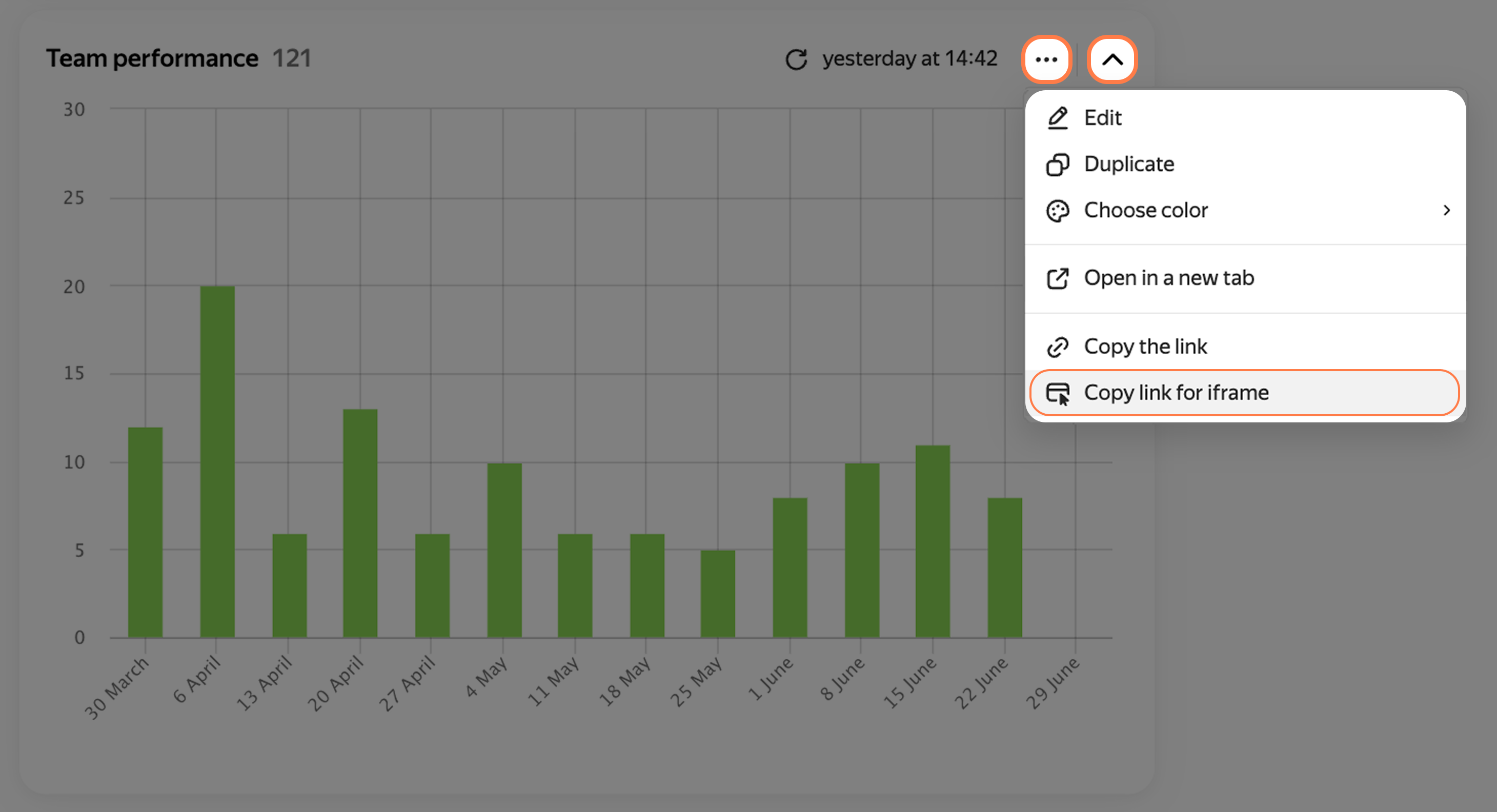
How to copy the widget link for an iframe
Step 2. Insert the link into the page you need
Into a project, portfolio, or goal
- Open a project, portfolio, or goal page in Tracker.
- Below the description, click Metric.
- Come up with a title for the widget and paste the iframe link.
- Click Add.
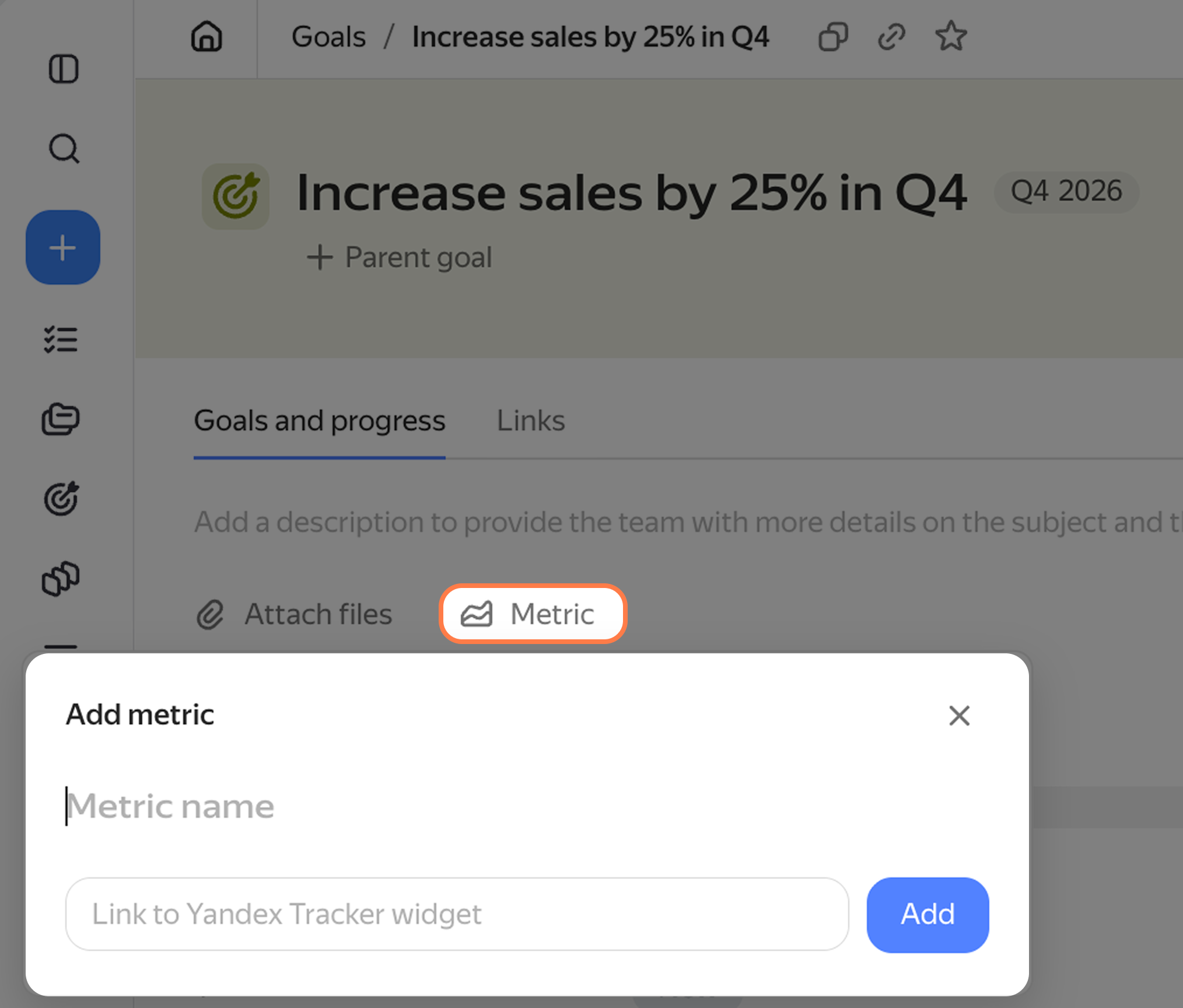
How to add a widget to a goal
Into an issue or comment
- Open an issue and start editing the description or a comment.
- On the toolbar, click Frame.
- Paste the iframe link into the Link field. You can adjust the frame width and height later.
- Click Save.
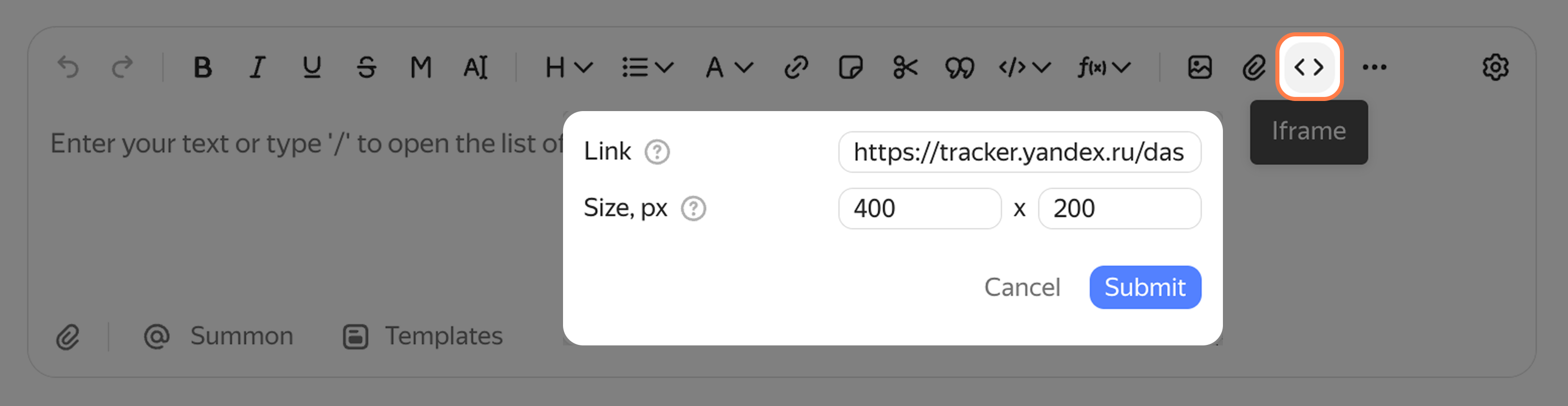
How to insert a widget into a "Frame" block
Into a wiki page
- Open the page you need in Yandex Wiki.
- On the toolbar, click Frame.
- Paste the iframe link into the Link field. You can adjust the frame width and height later.
- Click Save.
For more information, see the Yandex Wiki Help: Embedded object (iframe)