Setting up webhook notifications
Webhooks let you receive personal Yandex Tracker notifications at a specified URL. First, an organization administrator enables the experiment. Then, you link a URL and select the Webhook channel in a subscription.
Enable the experiment
Webhook notifications are available after an organization administrator enables the Personal notifications via a webhook experiment. To do this:
-
In the left-hand panel, click Settings → Experiments.
-
Enable the Personal notifications via a webhook experiment.
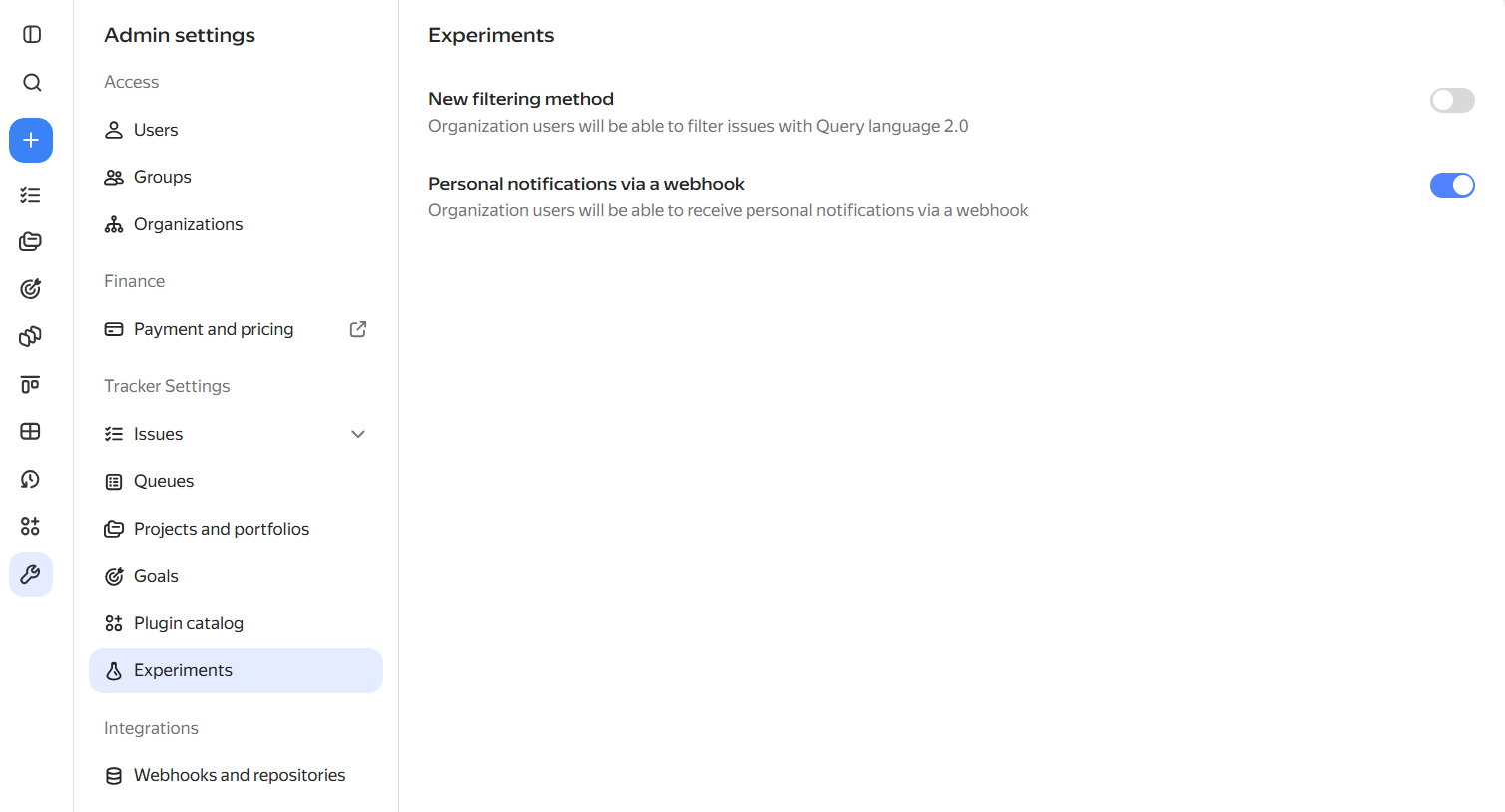
If you do not have administrator permissions, contact your organization administrator.
Link a webhook URL
-
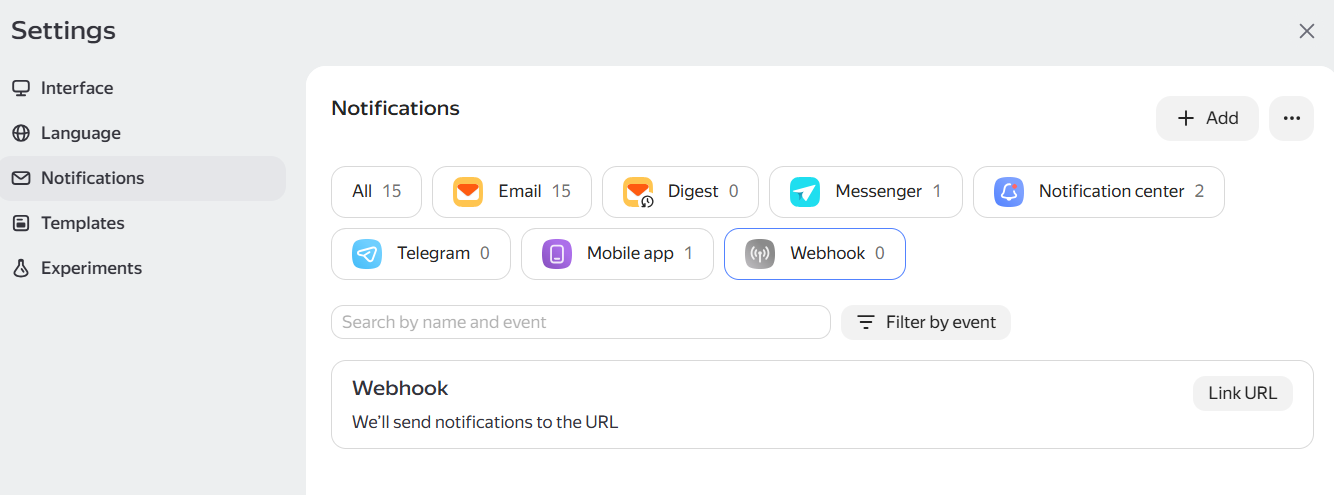
In the left-hand panel, click Settings → Notifications.
-
Go to the Webhook tab and click Link URL.
-
In the dialog that opens, enter the webhook URL and click Send code.
-
Get the code from the message that Yandex Tracker sends to the webhook URL. Enter the code and click Confirm.
Set up a subscription
Create a new subscription or edit an existing one. In the list of channels, select Webhook. For more information about creating subscriptions, see Setting up subscriptions.
Yandex Tracker will send notifications about the selected events to the linked URL.