Why did the Wiki service robot create technical pages?
We updated the page deletion and restoration logic in the Wiki service. After the update, the "Wiki service Robot" automatically returned to the structure the pages that had previously "fallen out" of navigation due to the deletion of their parent pages.
How did pages fall out of navigation?
Previously, after deleting a parent page, its subpages could fall out of the Wiki structure. They continued to exist but were only visible when accessed via a direct link.
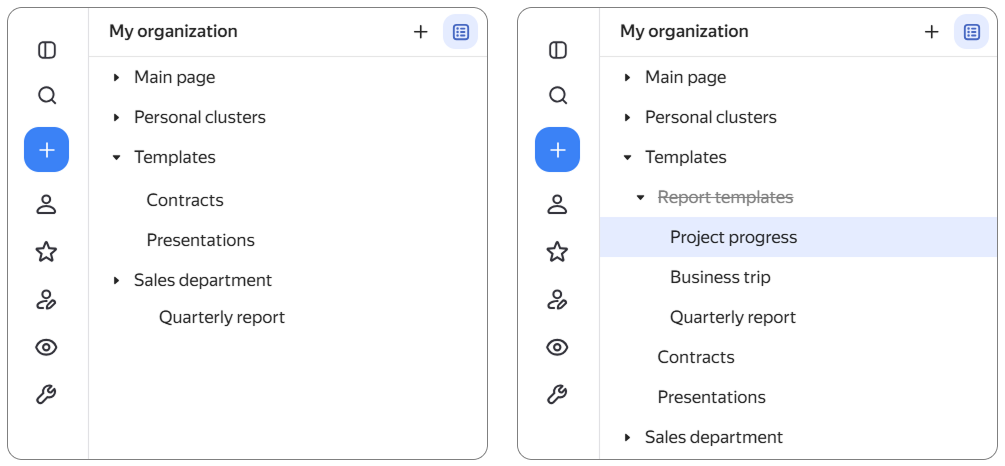
Left: the structure does not show all pages — if a parent page was deleted, its subpages disappear from navigation.
Right: the pages that fell out can be opened via a link, but you cannot find them through the Wiki structure.
How the fallen-out pages were restored
To return the fallen-out pages to the Wiki structure, the "Wiki service Robot" account automatically created service pages with technical names in place of the deleted parent pages. This was a one-time procedure that happened after the update.
Service pages contain no text or attachments. They are only needed to restore the full path in the Wiki structure and return to navigation the pages that previously could only be opened via a direct link.
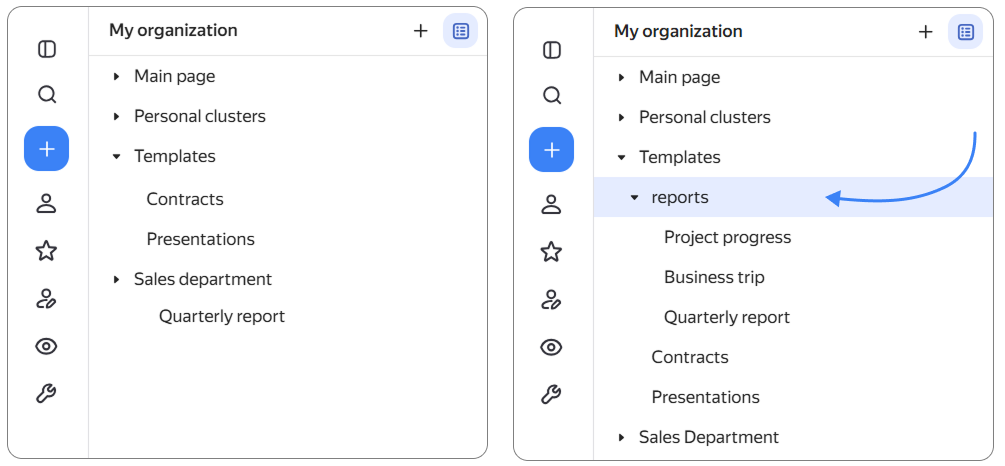
Left: before the update, the page structure looked like this.
Right: after the update, a technical page appeared, and the fallen-out pages are visible in the structure.
Why do service pages have these access settings?
A service page inherits the access settings of the page under which it appeared. At the same time, the access rights to the previously fallen-out pages are not changed.
What to do with the returned pages?
We recommend checking and organizing the returned pages:
- Move needed pages to a suitable location.
- Rename or add content to service pages if necessary.
- Delete unneeded pages along with their subpages.
Can I delete a service page?
Yes. According to the new rules, when deleting a page, Wiki will show in advance how many subpages will be deleted and ask for confirmation.
How page deletion works now
Now, a parent page is deleted along with all its subpages. This prevents subpages from falling out of navigation and remaining accessible only via a direct link.
You cannot accidentally delete an entire branch: before deletion, Wiki shows the number of affected pages and asks you to confirm the action.
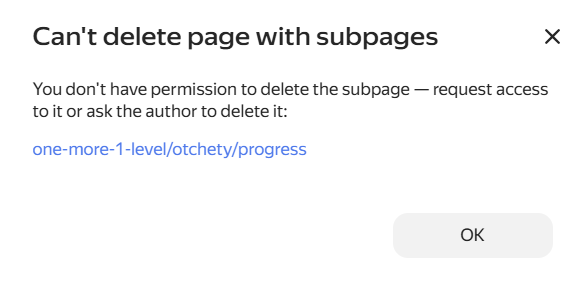
If you don't have access to one of the subpages, you won't be able to delete the entire branch. You will need to request access or contact the page author.
Can I restore a deleted page?
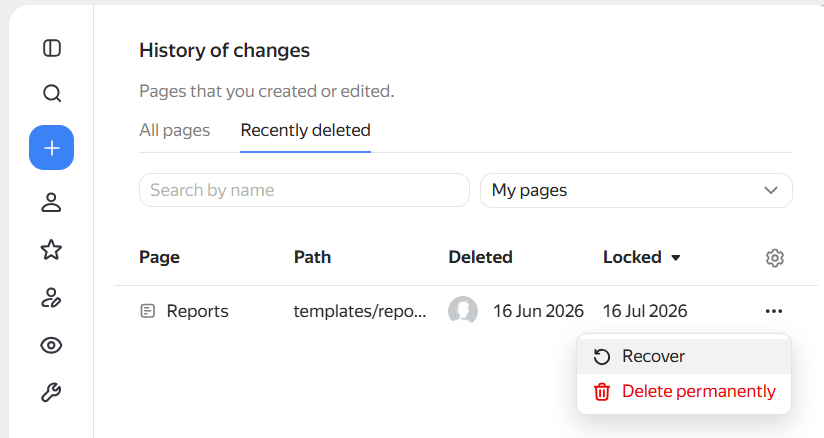
Yes. You can restore a deleted page along with all its subpages.
Learn more about deleting and restoring pages: