Integration with the AppsFlyer MMP
With the AppsFlyer mobile measurement platform (MMP), you can create dynamic segments and automatically send them to Yandex Audience.
To set up integration:
-
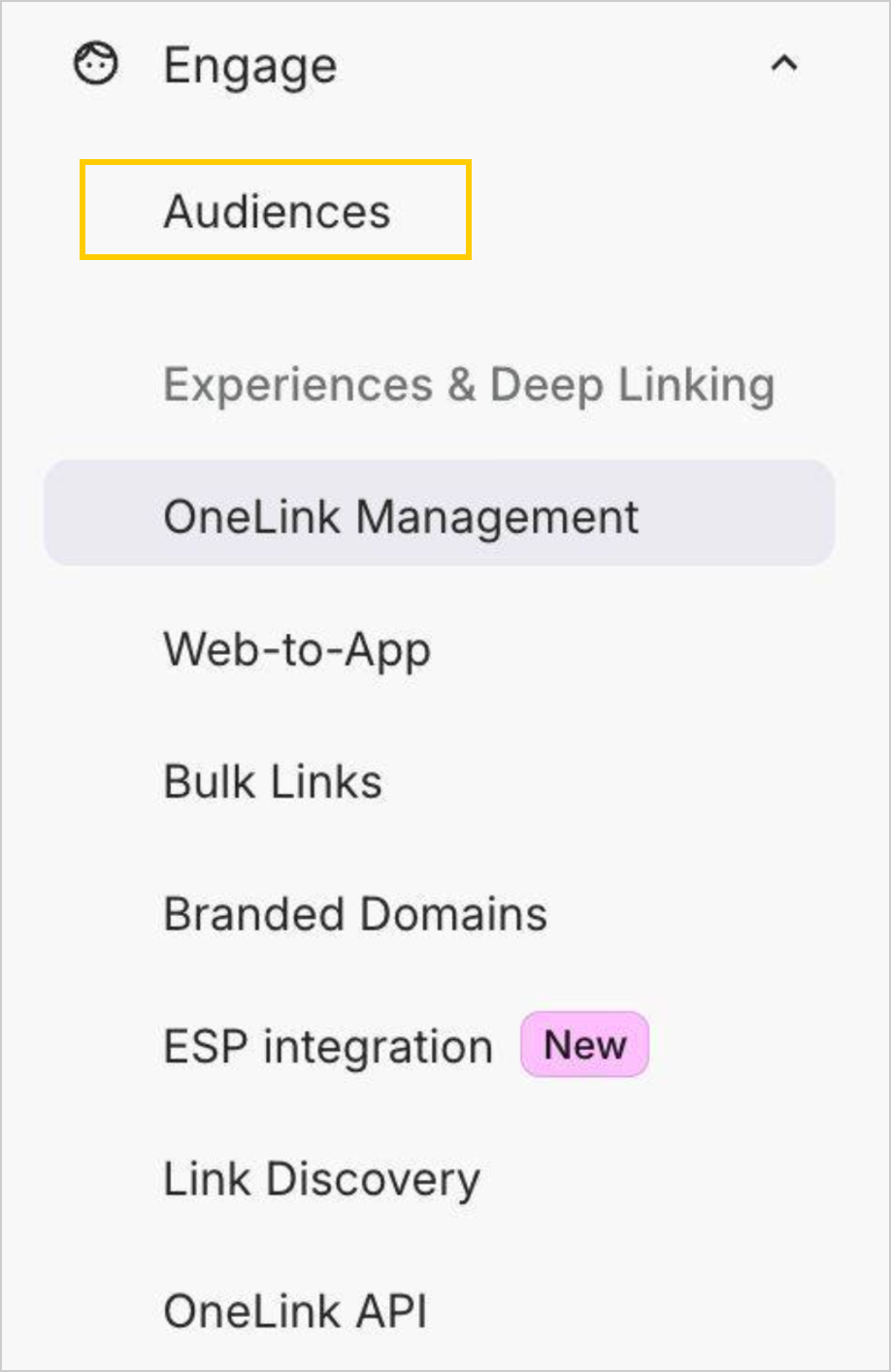
On the AppsFlyer home page, select Engage → Audiences in the menu.
-
Select the Connections tab and click New connection.
-
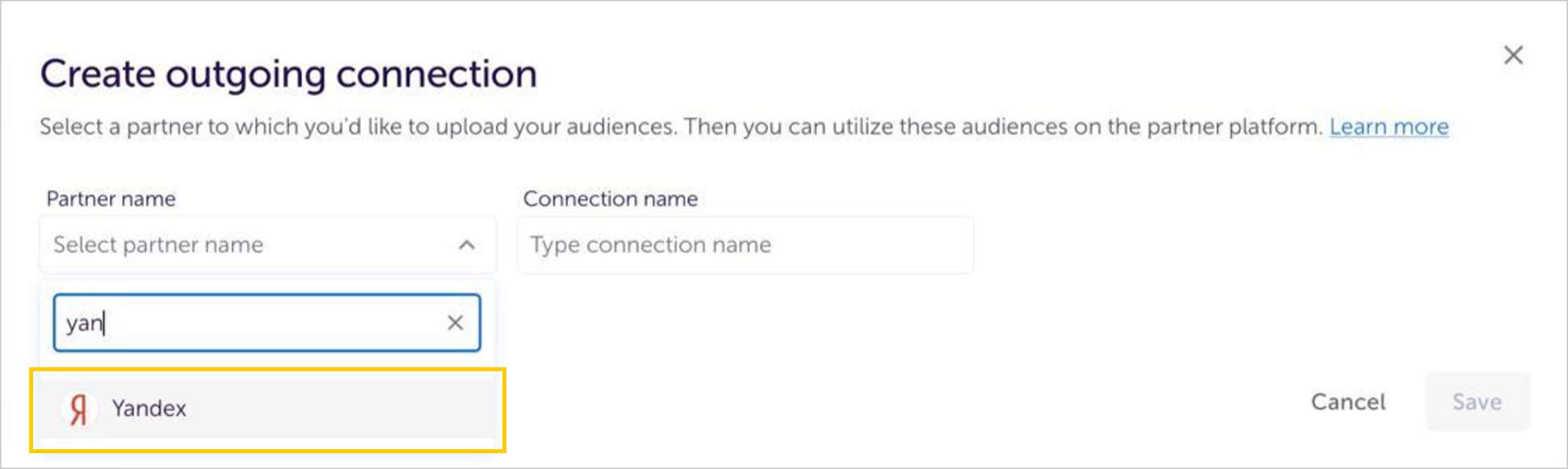
Select Yandex in the list of partners, then give your connection a name in the Connection name field.
-
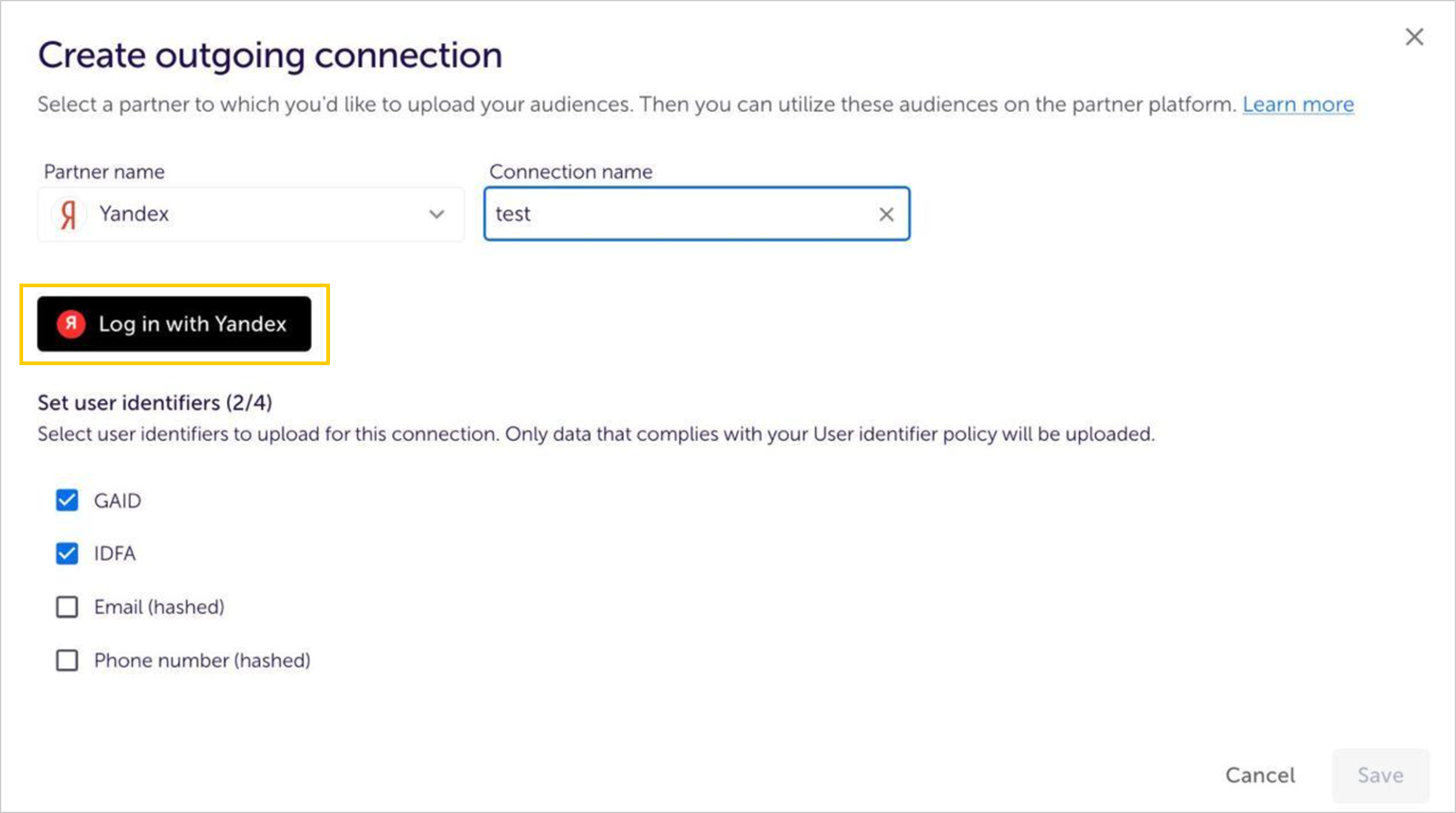
Click Log in with Yandex and select the Yandex Audience account for which you want to set up the integration.
-
Select the type of data to send:
- GAID: Mobile device IDs on Android.
- IDFA: Mobile device IDs on iOS.
- Email: Email addresses.
- Phone number: Phone numbers.
Warning
-
You can enable permission to send email addresses and phone numbers in your AppsFlyer account settings.
-
The service uses In-Device attribution for GAIDs and IDFAs and Cross-Device attribution for emails and phone numbers.
-
After creating the integration, you can add an existing audience or create a new one. To set up a new audience segment, follow this AppsFlyer guide.
Alert
When creating a segment, under the advanced settings, select Device ID as the user ID.
-
Wait until the segment's status shows Success in AppsFlyer and Ready in Yandex Audience. You can then start using it to configure your ads.
Learn more
Still have questions?
Alert
Customer support agents can only assist you with campaigns associated with your username. You can see your current username it in the upper-right corner of the screen. The agent will get access to your data only when processing your request.
Message in WhatsApp

The segment doesn't include other devices associated with the user.
The segment includes other devices associated with the same user.