Test your internet speed
Yandex Internetometer tests your connection speed using Yandex CDN servers. The service simultaneously pings several nearby servers to accurately measure the speed on your specific network segment, whether it's your local ISP or mobile carrier.
Prepare your device for the speed test
For maximum accuracy, make sure to do the following:
-
Turn off any bandwidth-heavy apps, like streaming services, games, file-sharing programs, and VPNs.
-
Pause any browser downloads and streaming media, and disable extensions. Alternatively, use incognito mode, which disables extensions by default.
Follow these steps for any other devices, or simply disconnect them from your network. To find out the maximum speed your ISP provides, connect your device to the internet directly using an Ethernet cable. Otherwise, your Wi-Fi signal and router capabilities might skew the results.
Test speed
To check your internet speed, go to the Yandex Internetometer page and click Test. The service will display your download and upload speeds.
See more details about the speed test.
You can also share your results on your blog or socials. To get a shareable link to your results, click .
Interpreting the results
The tool displays the following metrics:
-
Download speed: shows how quickly you receive data (like loading web pages, streaming media, or downloading files).
-
Upload speed: shows how quickly you send data (like sending messages and files, or posting photos and videos on social media).
-
Latency: the time from when your device sends a request until the server's response starts arriving. Low latency is crucial for online gaming, video calls, and other apps that require quick response times.
-
Connection quality: presented on a five-point scale and as text (for example: "You can comfortably watch videos in 2K/4K").
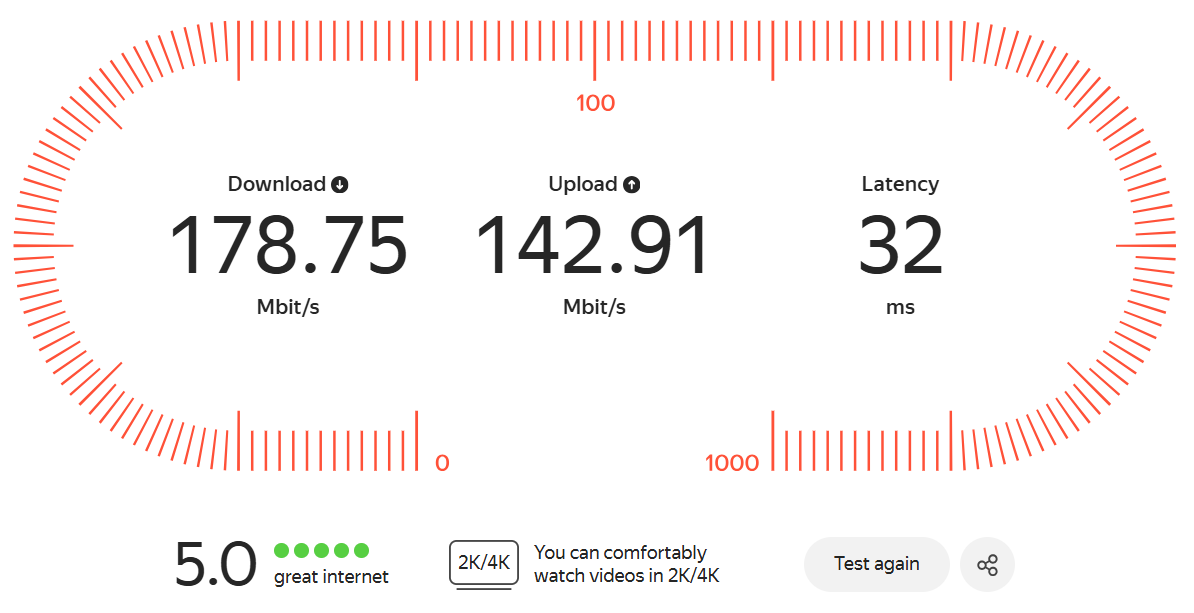
ISPs usually advertise the maximum possible download speed for their plans. In reality, your actual download and upload speeds aren't constant and can change throughout the day.
Keep in mind that app system requirements or ISP plans might list speeds in either Mbit/s or MByte/s. Yandex Internetometer can display both options, so just pick the one you need.
A single device typically needs the following speeds to run smoothly:
- 1–2 Mbit/s to play most online games (they rely more on connection quality than pure speed).
- 2–5 Mbit/s to check emails and browse the web.
- 5–8 Mbit/s to watch videos in 720p.
- 8–10 Mbit/s to watch videos in standard 1080p resolution (Full HD).
- 10–12 Mbit/s to watch videos in 60 FPS 1080p (Full HD).
- 10–16 Mbit/s to watch videos in standard 1440p resolution (2K QHD).
- 16–20 Mbit/s to watch videos in 60 FPS 1440p (2K QHD).
- 20–35 Mbit/s to watch videos in standard 2160p resolution (4K Ultra HD).
- 35–55 Mbit/s to watch videos in 60 FPS 2160p (4K Ultra HD).
- 55–100+ Mbit/s to watch videos in standard 4320p resolution (8K Ultra HD).
- 100–150+ Mbit/s to watch videos in 60 FPS 4320p (8K Ultra HD).